
Bajibro Registration Steps Guide for Users
Creating a Bajibro account is fast and straightforward. Unlike many platforms that require lengthy forms, Bajibro keeps the registration process simple so new users can sign up and start exploring the platform within just a few minutes.
All you need is an active mobile number, a secure password, and a quick OTP verification. Once your account is verified, you’ll be able to access games, promotions, your wallet, and other platform features immediately.
Whether you’re new to online gaming or an experienced player, the registration process is designed to be easy to follow with minimal steps.
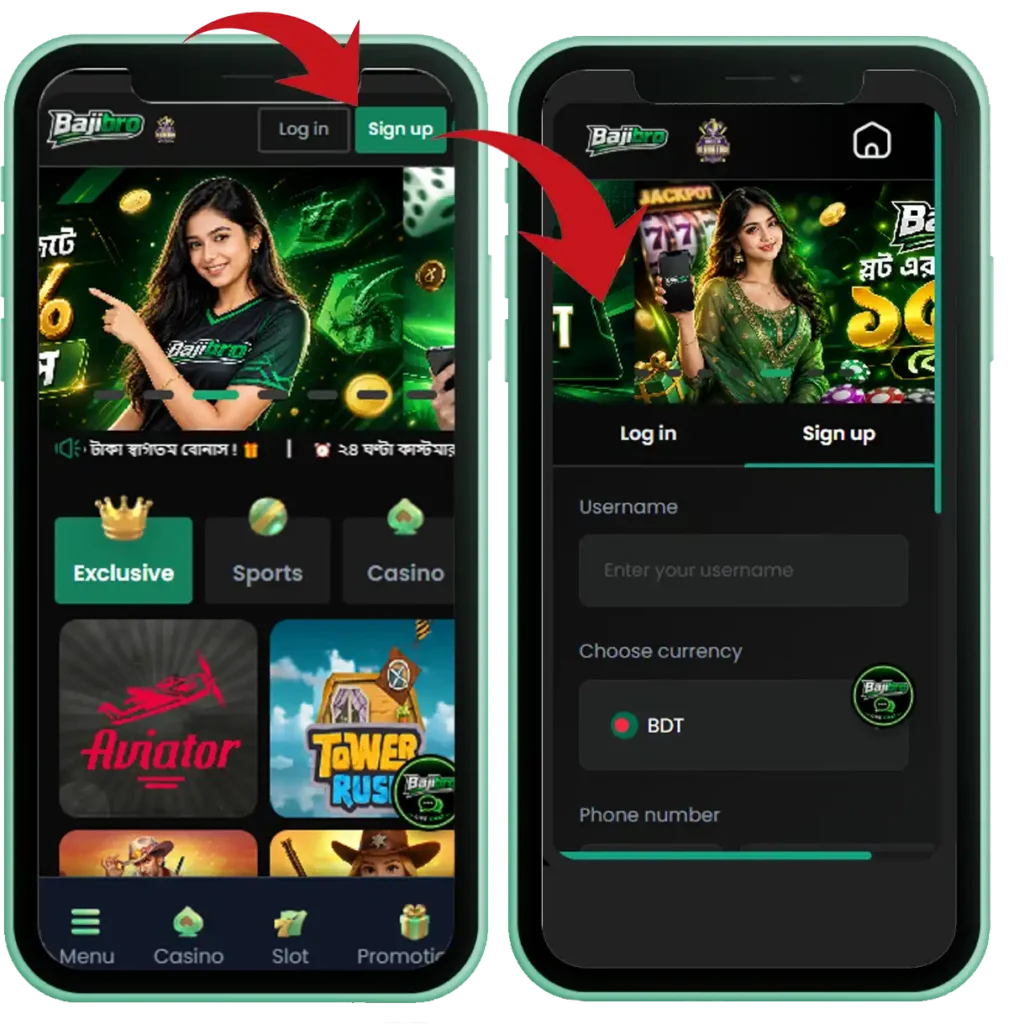
Bajibro Register
Registration Steps
Follow these steps to create your Bajibro account:
- Open the Bajibro app or visit the official Bajibro website.
- Tap the Register or Sign Up button.
- Enter your active mobile number.
- Create a strong and secure password.
- Fill in any additional information if requested, such as a username or referral code.
- Enter the OTP (One-Time Password) sent to your registered mobile number.
- Tap Confirm Registration to complete the signup process.
- Your Bajibro account will be created, and you can log in immediately.
The registration process usually takes only a few minutes with a stable internet connection.
Common Registration Issues & Quick Solutions
OTP Not Received
Wait a few moments before requesting another OTP. Make sure your mobile network is active and that you’ve entered the correct phone number.
Incorrect Mobile Number
Double-check your number before submitting the registration form. Even a small mistake can prevent OTP verification.
Registration Page Not Loading
Refresh the page, restart the app, or switch to a more stable internet connection. A poor network connection can sometimes interrupt the signup process.
Verification Problems
Clear your browser or app cache and try again. Avoid using a VPN during registration, as it may interfere with the verification process.
App Issues
If the app isn’t working properly, update it to the latest version or reinstall it to resolve temporary bugs.
Tips for a Smooth Bajibro Signup
- Use your own active mobile number for registration.
- Keep your phone nearby to receive the OTP instantly.
- Create a strong password using a combination of letters, numbers, and symbols.
- Avoid using public Wi-Fi when creating your account.
- Download the Bajibro app only from its official source.
- Turn off any VPN or proxy service before registering.
- Review all your details carefully before submitting the registration form.
Following these simple tips can help you complete your Bajibro registration quickly and avoid common signup issues.