
Bajibro App Bangladesh Deposit Guide For Users
Adding money to your Bajibro account is quick, secure, and easy. The platform supports popular Bangladeshi payment methods, allowing users to deposit funds without complicated procedures. Whether you’re making your first deposit or topping up your balance regularly, the process is designed to be fast and beginner-friendly.
One of Bajibro’s advantages is its support for local payment services such as bKash, Nagad, and Rocket. In most cases, deposits are processed within a short time, allowing you to start playing your favorite games without unnecessary delays.
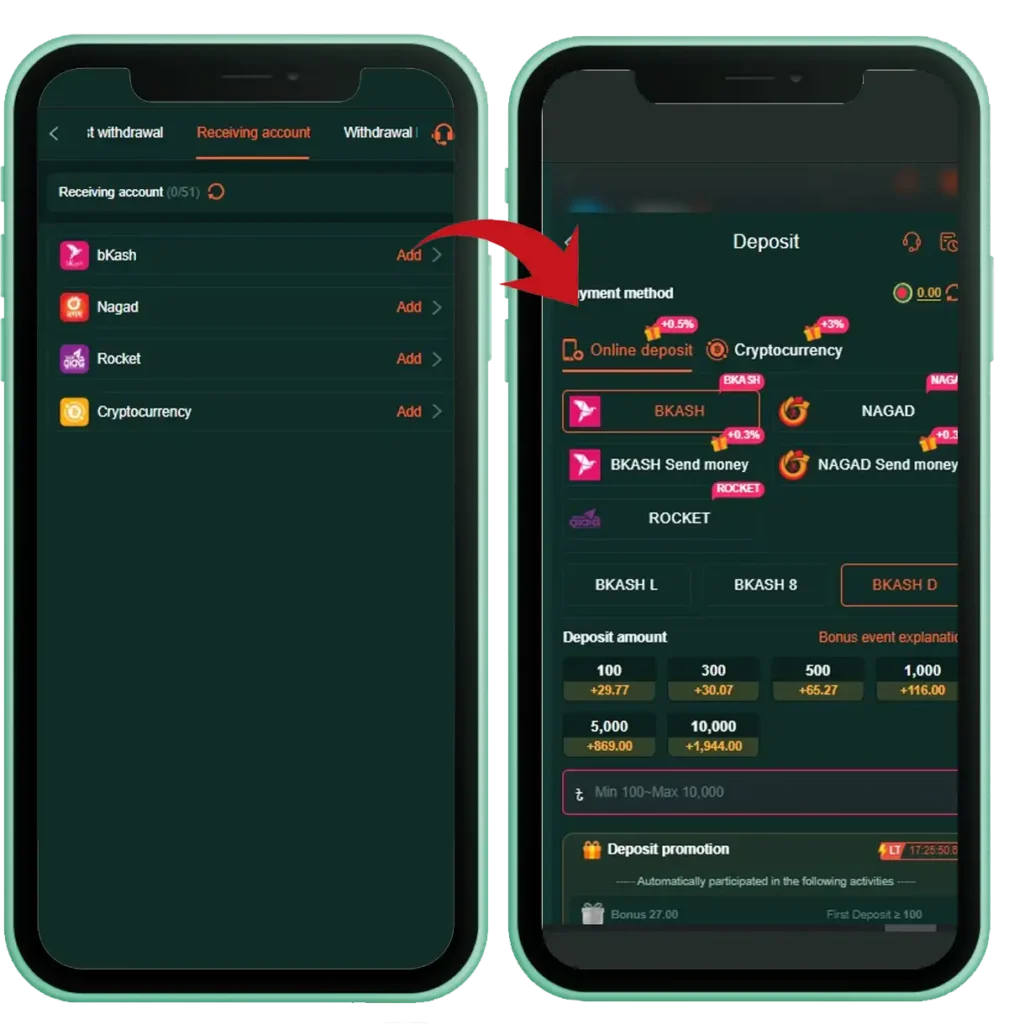
How to Deposit Money on Bajibro
Follow these simple steps to add funds to your Bajibro account:
- Open the Bajibro app or visit the official website and log in to your account.
- Go to the Wallet or Deposit section.
- Select your preferred payment method, such as bKash, Nagad, Rocket, or another available option.
- Enter the amount you wish to deposit.
- Follow the payment instructions displayed on the screen.
- Complete the payment through your selected payment service.
- Submit the transaction ID if the platform requests it.
- Wait for the deposit to be verified.
- Once approved, your account balance will be updated, and you can begin playing immediately.
Common Deposit Problems & Solutions
Deposit Not Credited
Solution: Wait a few minutes and refresh your wallet balance. If the deposit still hasn’t appeared, contact Bajibro customer support and provide your transaction ID.
Incorrect Payment Details
Solution: Always verify the payment number, account information, and deposit amount before confirming the transaction to avoid delays.
Transaction Failed
Solution: Check your internet connection and payment account balance. If necessary, try the transaction again after a few minutes or use another supported payment method.
Deposit Verification Delay
Solution: During peak hours, verification may take longer than usual. Avoid making duplicate payments while waiting for your first transaction to be processed.
Deposit Below the Minimum Limit
Solution: Check the platform’s minimum deposit requirement before making a payment. Deposits below the allowed amount may not be processed successfully.
Deposit Tips
- Use only the payment methods officially supported by Bajibro.
- Keep your transaction ID or payment receipt until your balance is credited.
- Ensure your internet connection is stable while making a payment.
- Double-check all payment details before confirming the transaction.
- If you experience any issues, contact Bajibro customer support for assistance.